



★
(1 Review)
SuiteCRM DocuSign Connector
$499.00
Product Description
SuiteCRM Docusign Connector
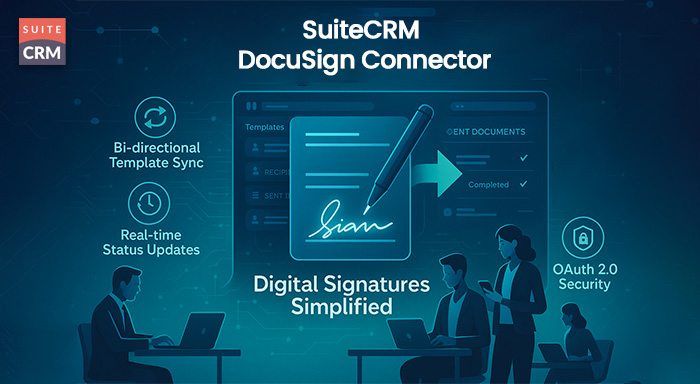
Send your business documents with your digital signature from SuiteCRM to your customers instead of going to meet them. We have an extension called SuiteCRM DocuSign Connector which saves your precious time by helping you for a digital signature where you can add it to your CRM and can share that document with your customers. DocuSign Connector is a faster and most reliable addon for signing purpose which not only saves your time but also raises business productivity as well. Using DocuSign Connector, you will always receive a notification whenever someone sends you any document as you always be updated.
For example: You are working in a company and daily you have to sign a lot of documents for your business activities. So, this signing documents and sending physically is an old method as using DocuSign Connector you can do digital signatures and can send documents from your CRM rapidly. The entire process is secure and safe.
Top 10 Benefits of SuiteCRM DocuSign Connector
-
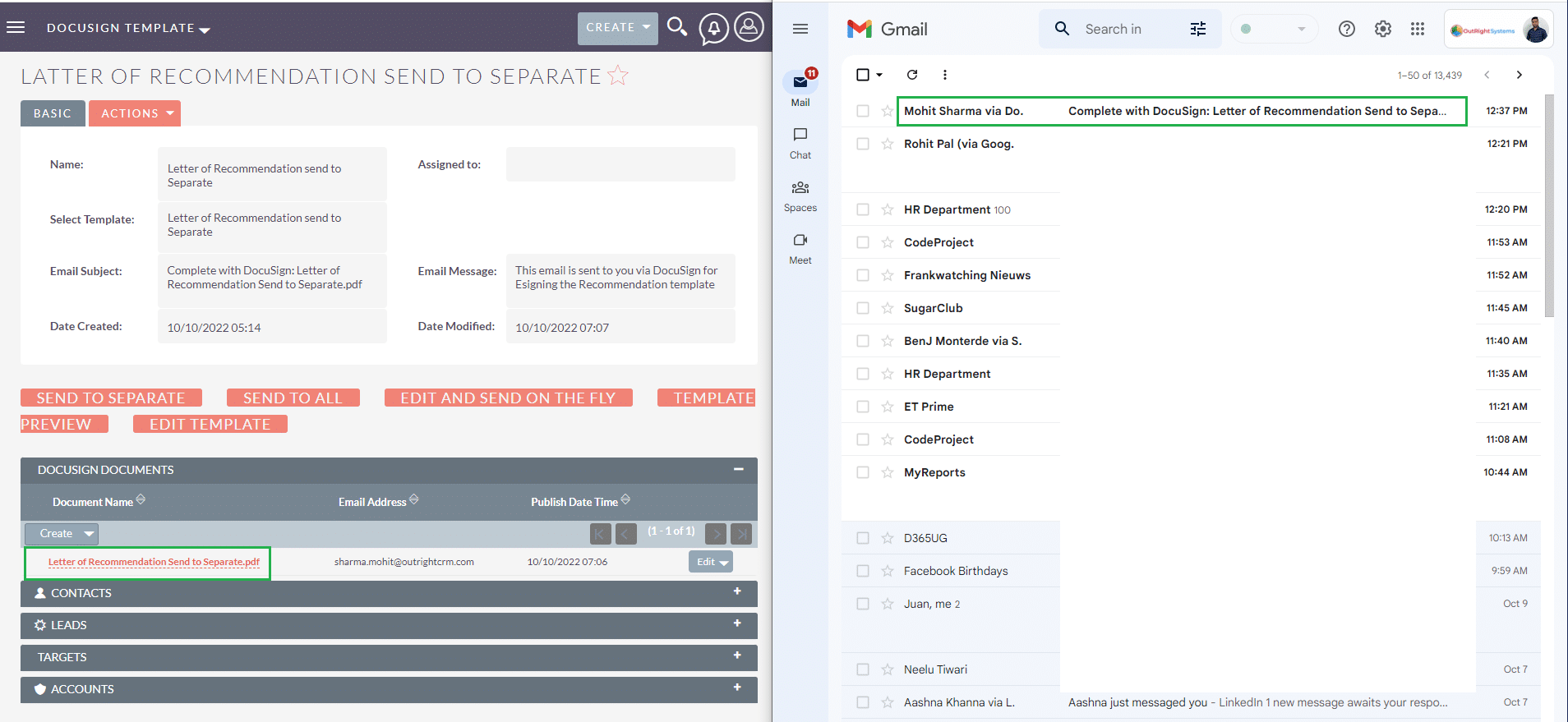
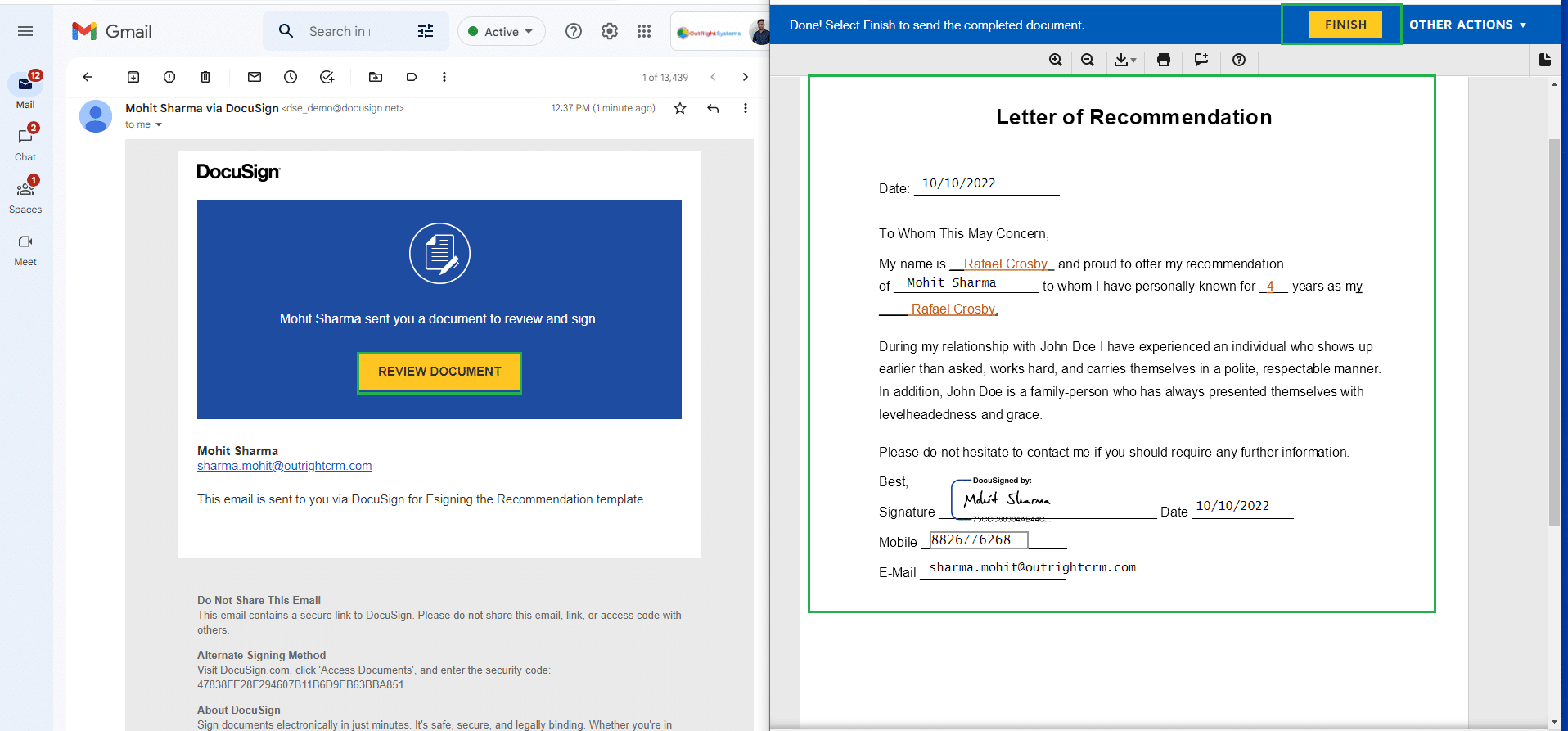
Send digitally signed documents directly from SuiteCRM — no need for physical meetings or manual delivery.
-
Save valuable time by skipping traditional paper-based document handling and signing processes.
-
Boost productivity by streamlining how your team manages contracts, NDAs, and other agreements.
-
Receive instant notifications whenever a document is sent, viewed, or signed by a recipient.
-
Improve customer experience by offering fast and secure document signing within minutes.
-
Enhance business efficiency by automating key workflows and eliminating delays in approval cycles.
-
Secure and safe communication for sharing and signing critical documents directly from CRM.
-
Perfect for high-volume operations where signing and sending documents is a daily task.
-
Easy integration with SuiteCRM — no need to switch platforms to use DocuSign features.
-
Ideal for remote teams who need to manage document approvals quickly and reliably from anywhere.
Key Features
Discover what makes this product stand out
Key Features of DocuSign Connector
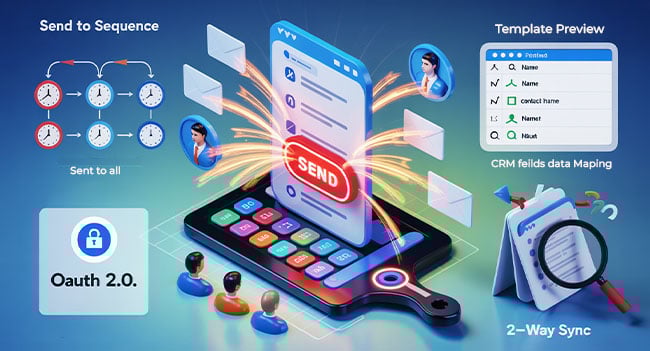
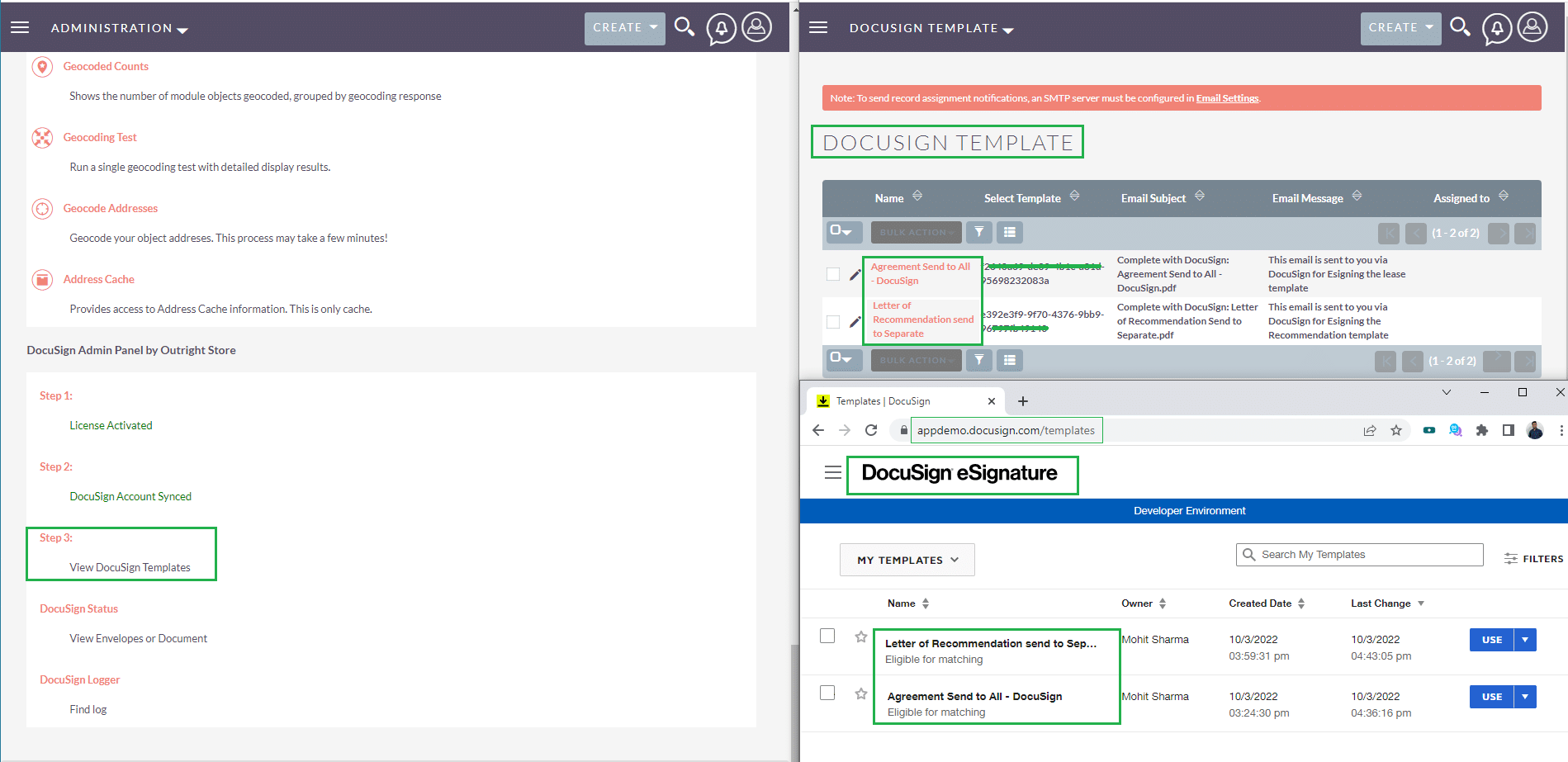
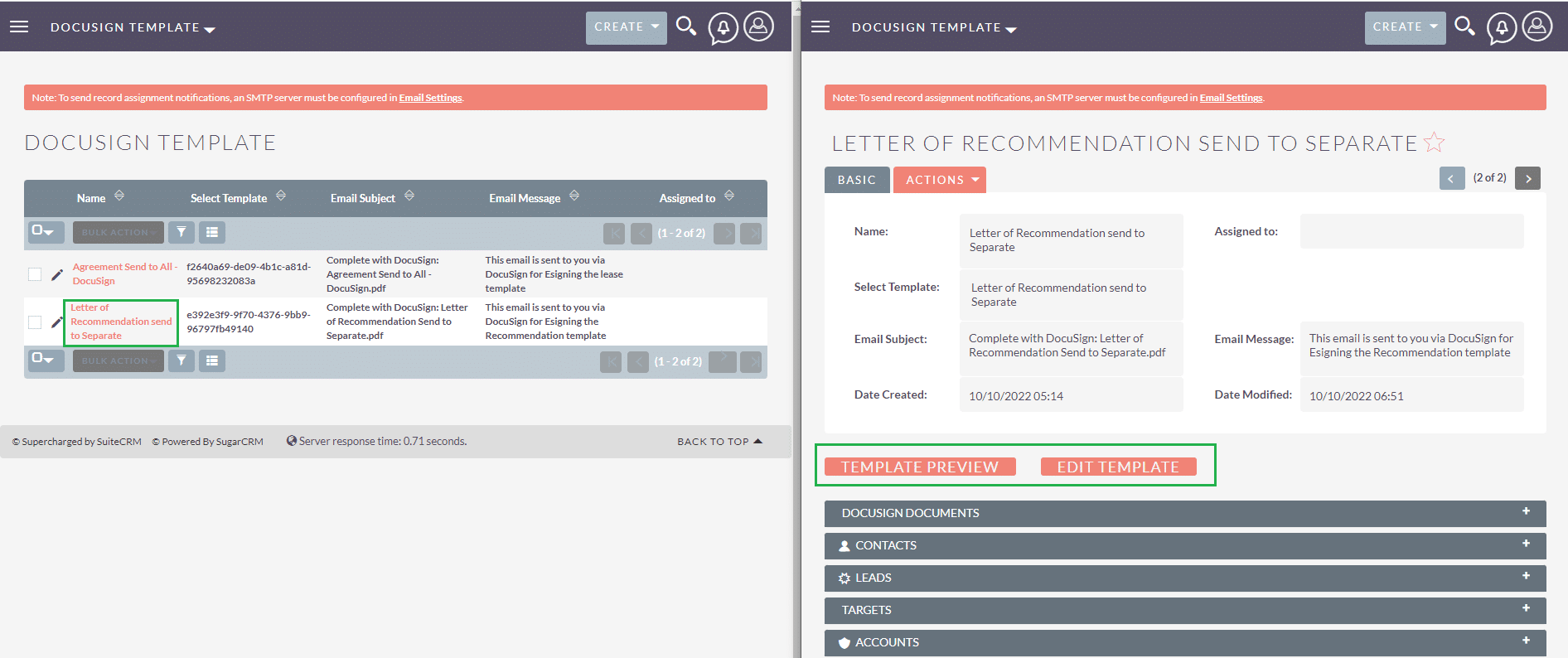
- Bi-directional template sync: Templates added in either DocuSign or SuiteCRM sync automatically between the two systems.
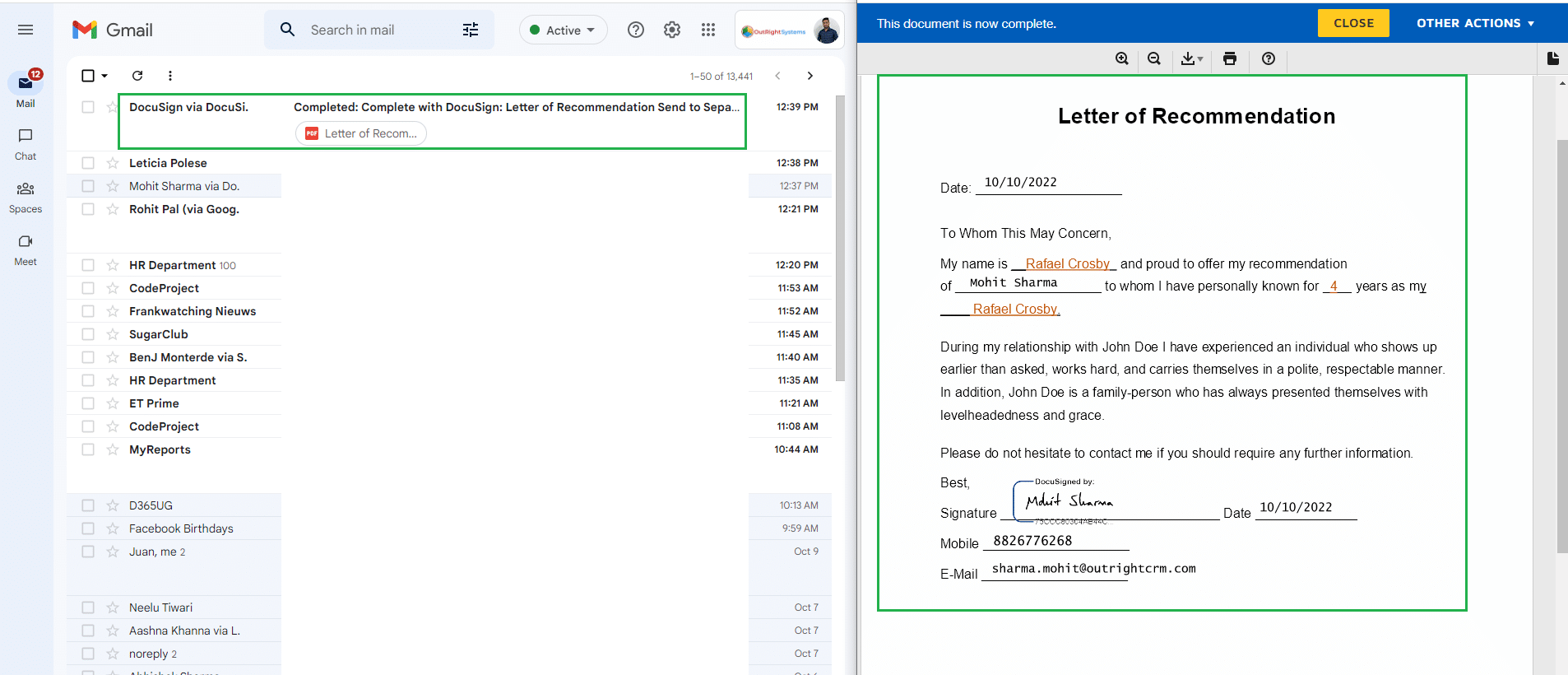
- Field Mapping to Document: Auto-merge CRM data into documents like contracts, NDAs, and agreements with ease.
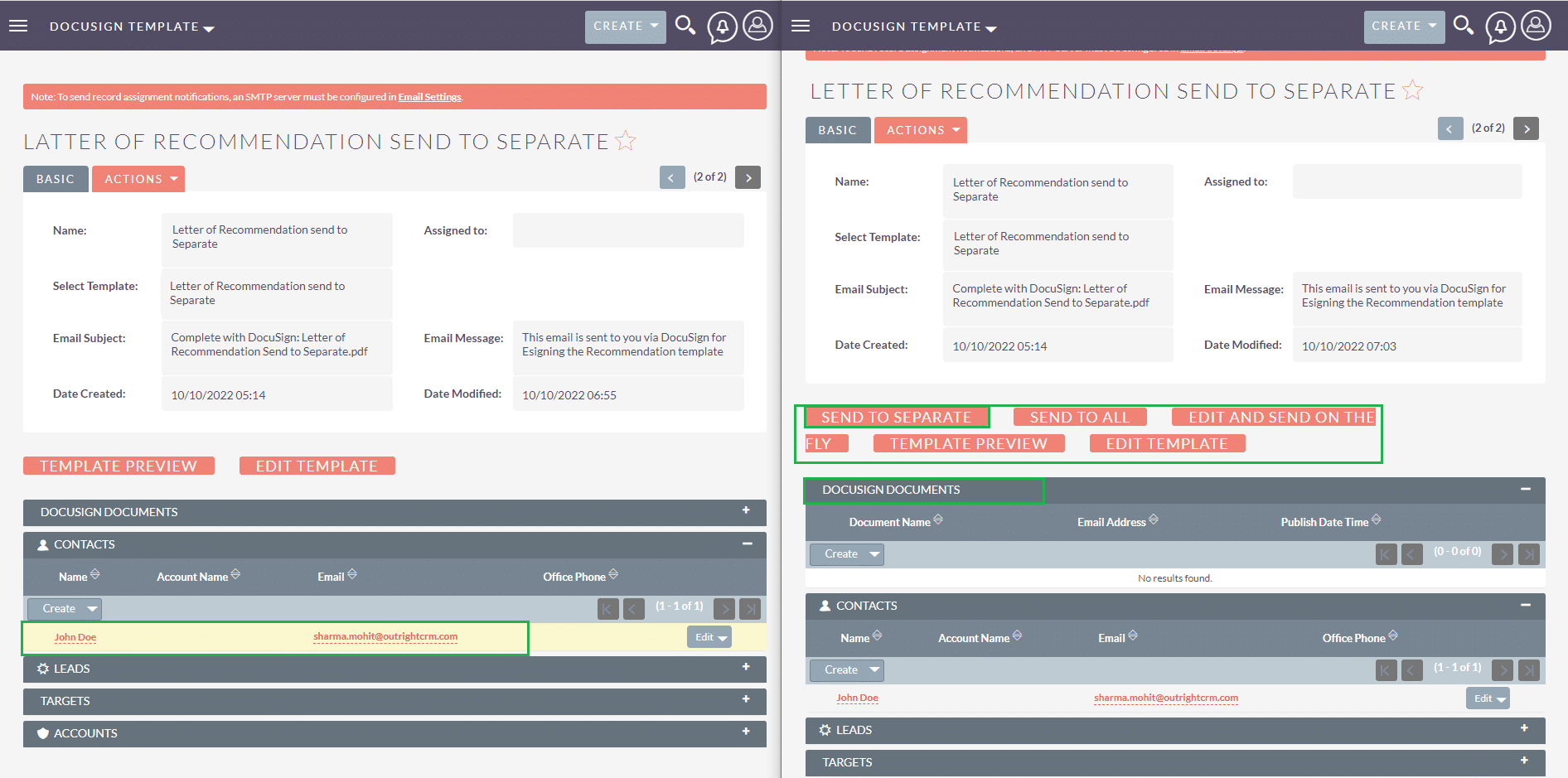
- Send Separately: Bulk send personalized documents to multiple recipients individually.
- Send to All: One-click group sending where all recipients sign the same shared document.
- Edit templates in SuiteCRM: Modify DocuSign templates directly within SuiteCRM without switching platforms.
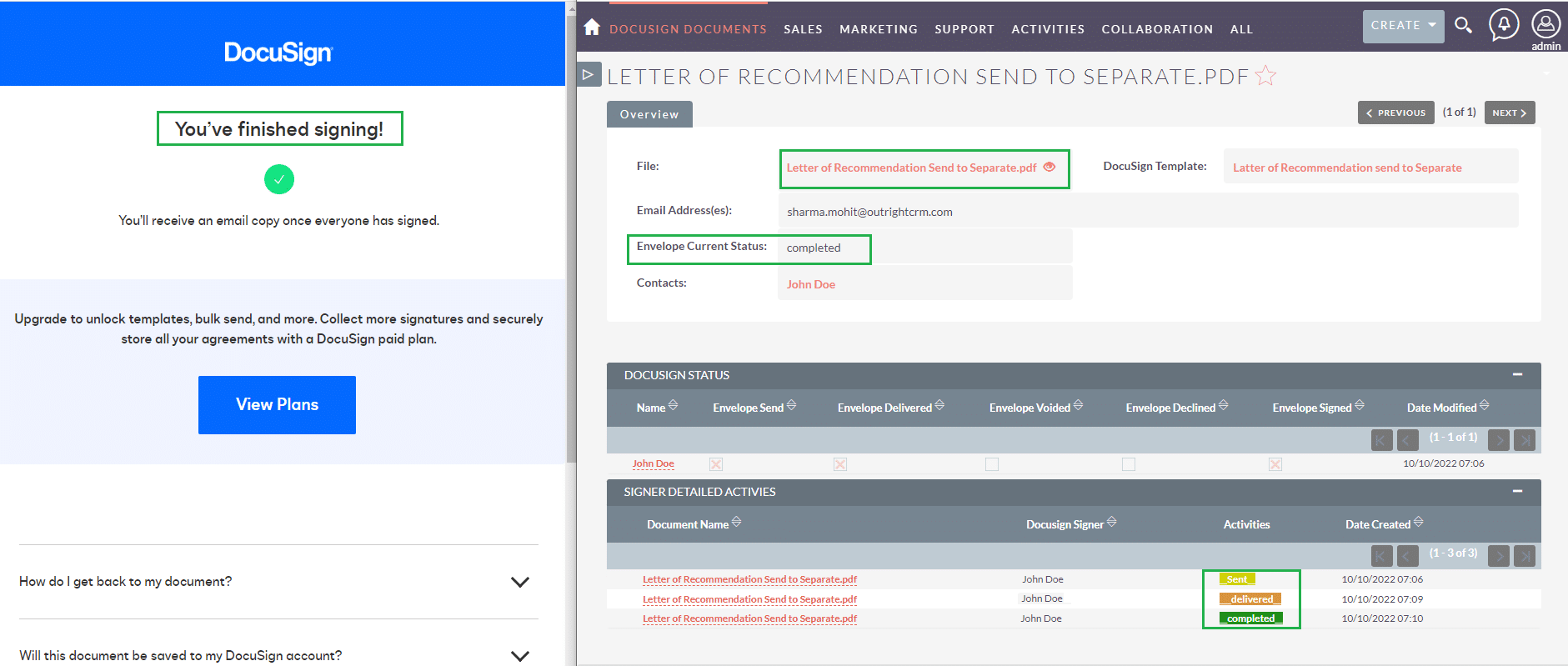
- Real-time status update: Instantly view current status and signing activity of sent documents.
- Add recipients from SuiteCRM: Quickly add contacts, accounts, leads, and targets as recipients from within CRM.
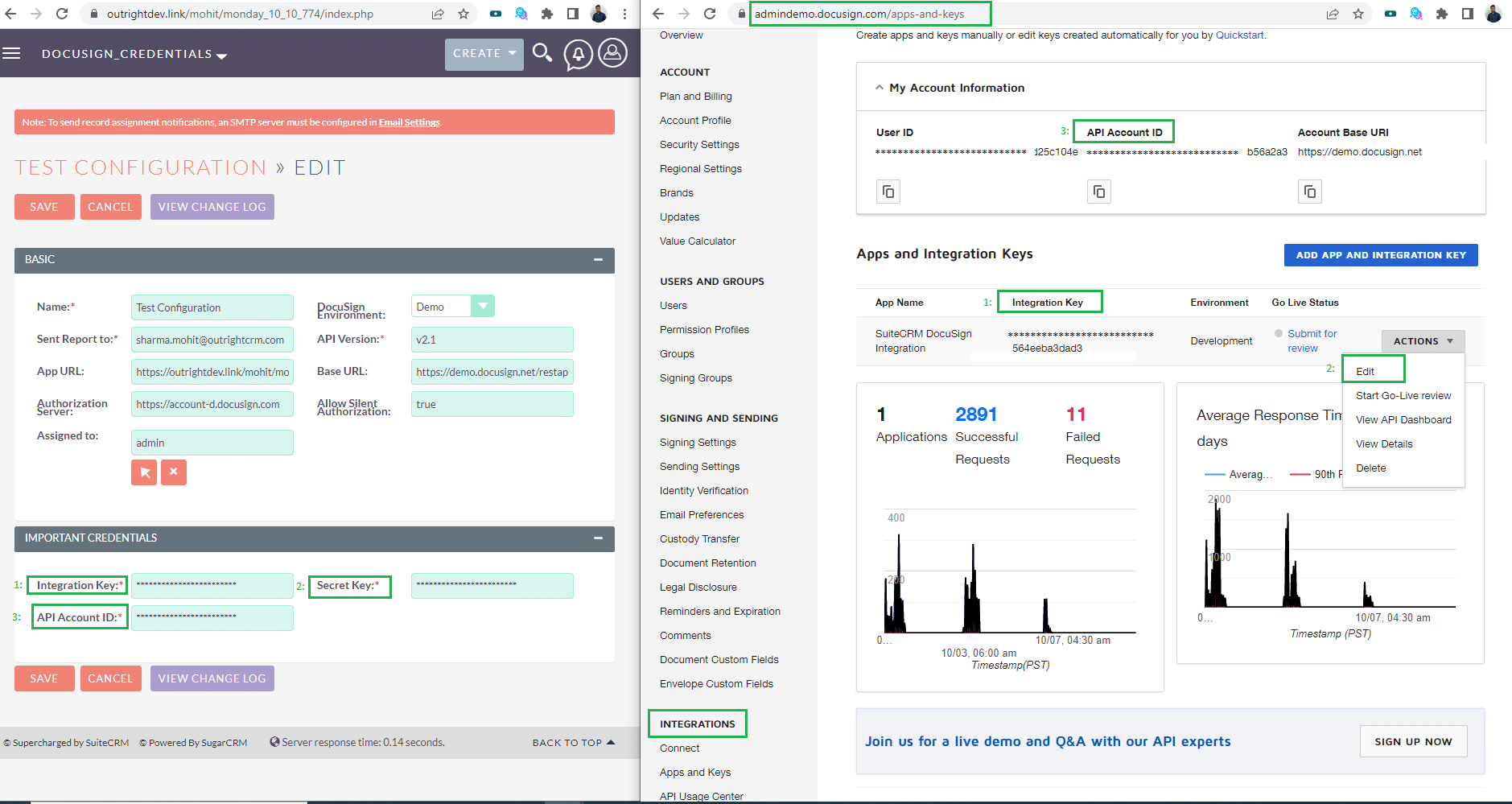
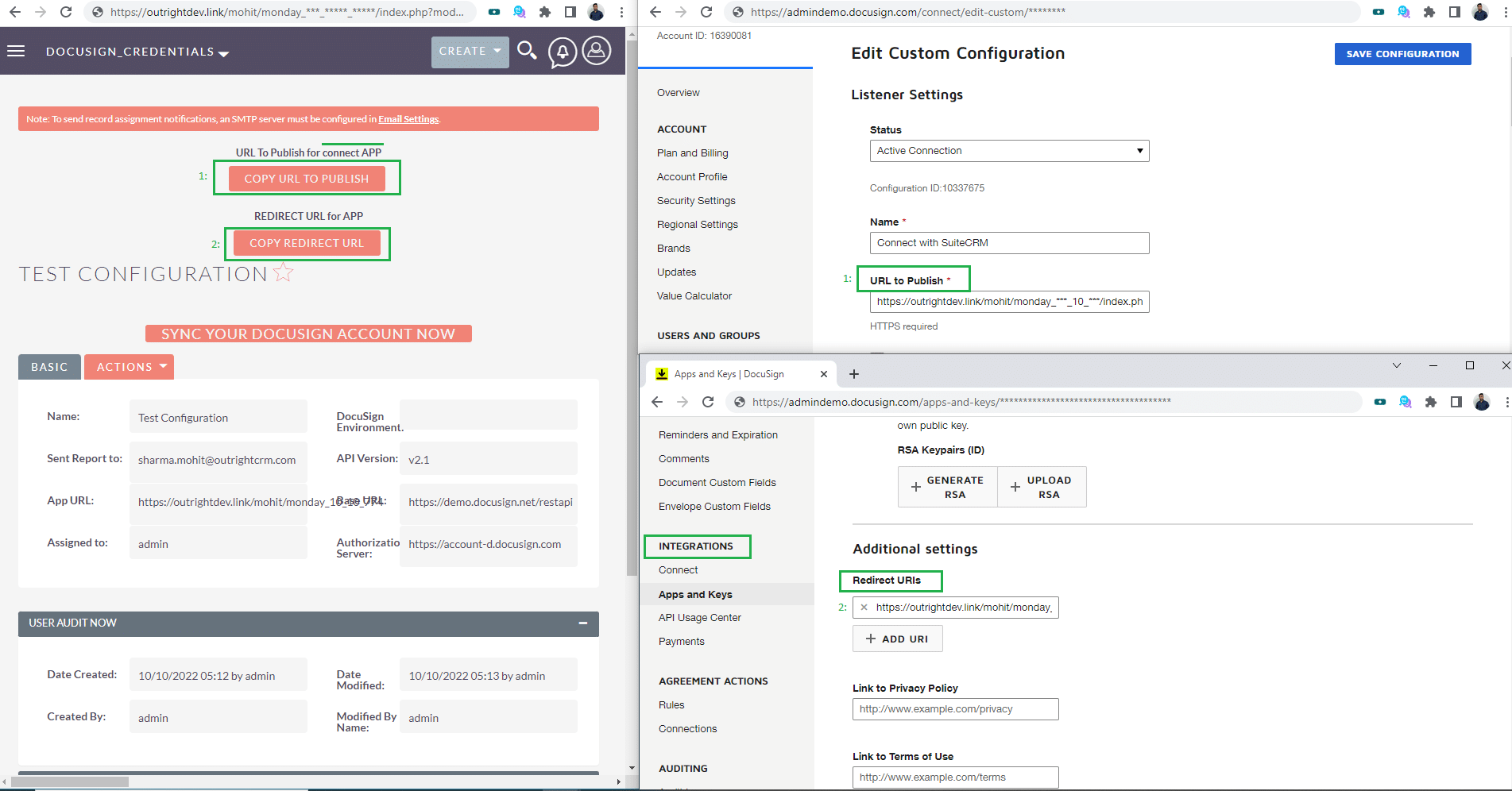
- OAuth 2.0 Authentication: Secure integration with DocuSign via OAuth 2.0, no repeated logins needed.
Conclusion: It’s time to get used to a digital signature which can take your business to the next level. The plugin DocuSign Connector is worth using for CRM business which not only helps you for the sending and receiving documents but also can save your quality of time regarding signature purpose. No such process of going to sign documents as the extension is here for your assistance. Understand the features of DocuSign Connector above and how it can enhance your business.
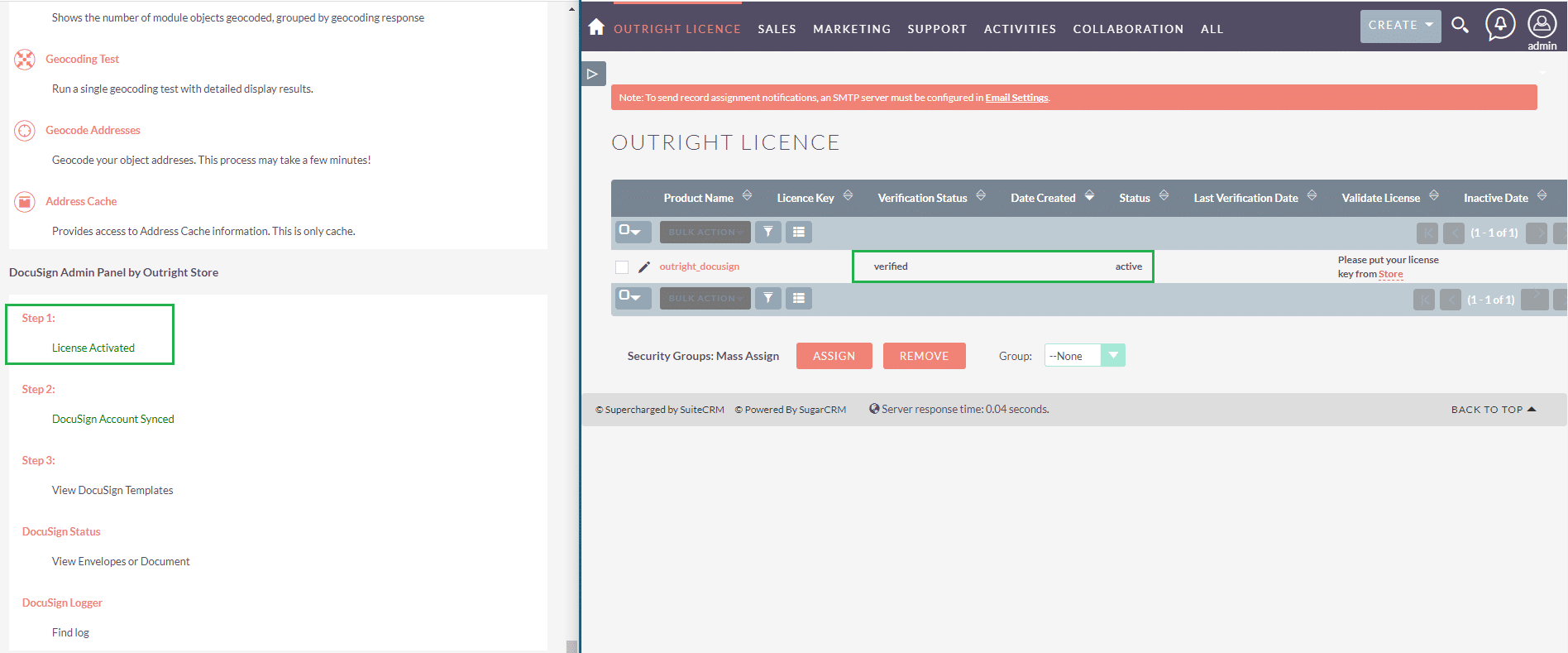
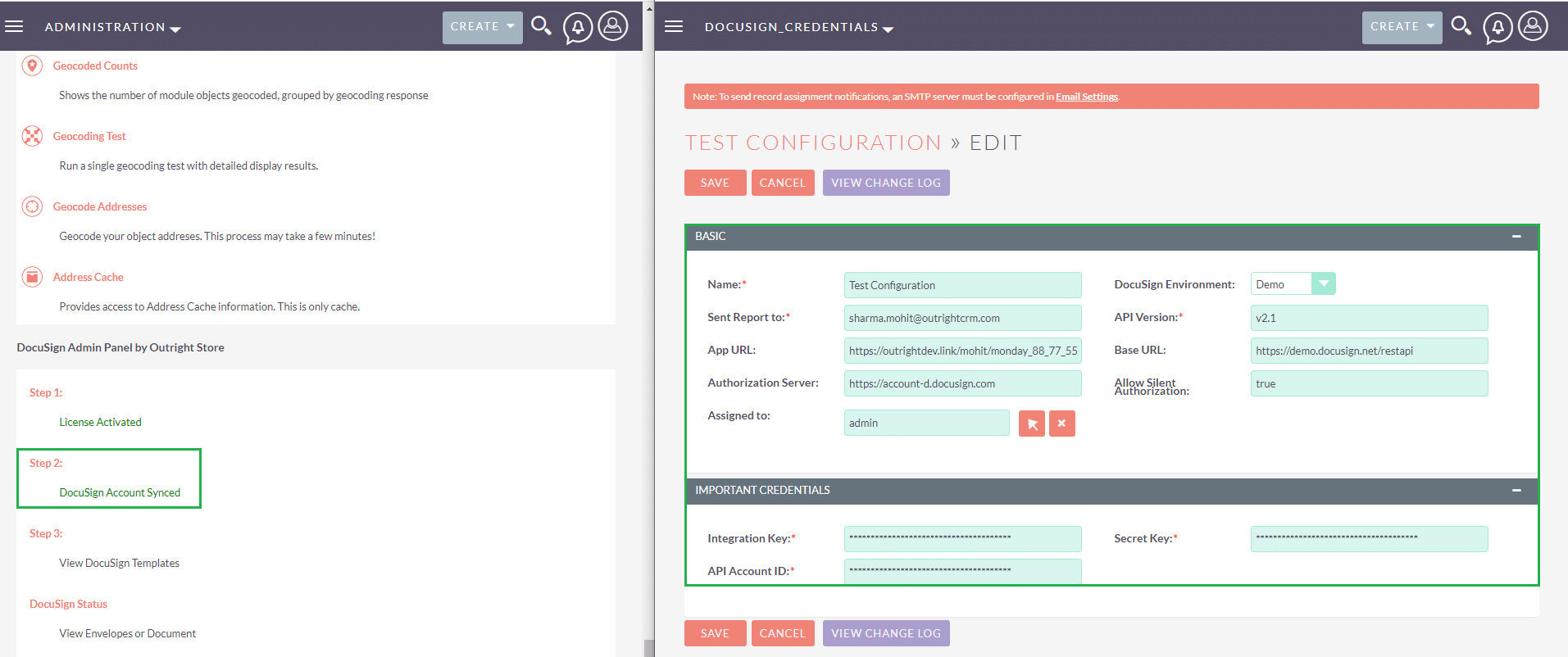
Visual Showcase
See the product in action through screenshots

1
2
3
4
5
6
7
8
9
10
11
12
Product Videos
Watch our product in action
User Guide
Learn how to use and configure the system step by step
Customer Reviews
See what our customers are saying
You must be logged in to leave a review.

jaceforan
Customer
★★★★★ 5
I am a docusign user and CRM user as well but I was sending documents through docusign and managing data in CRM manually.I got this plugin when I needed the most. Thanks Outright Systems!!!
FAQs
Question? Look here.
How does data sync between the SuiteCRM and DocuSign?
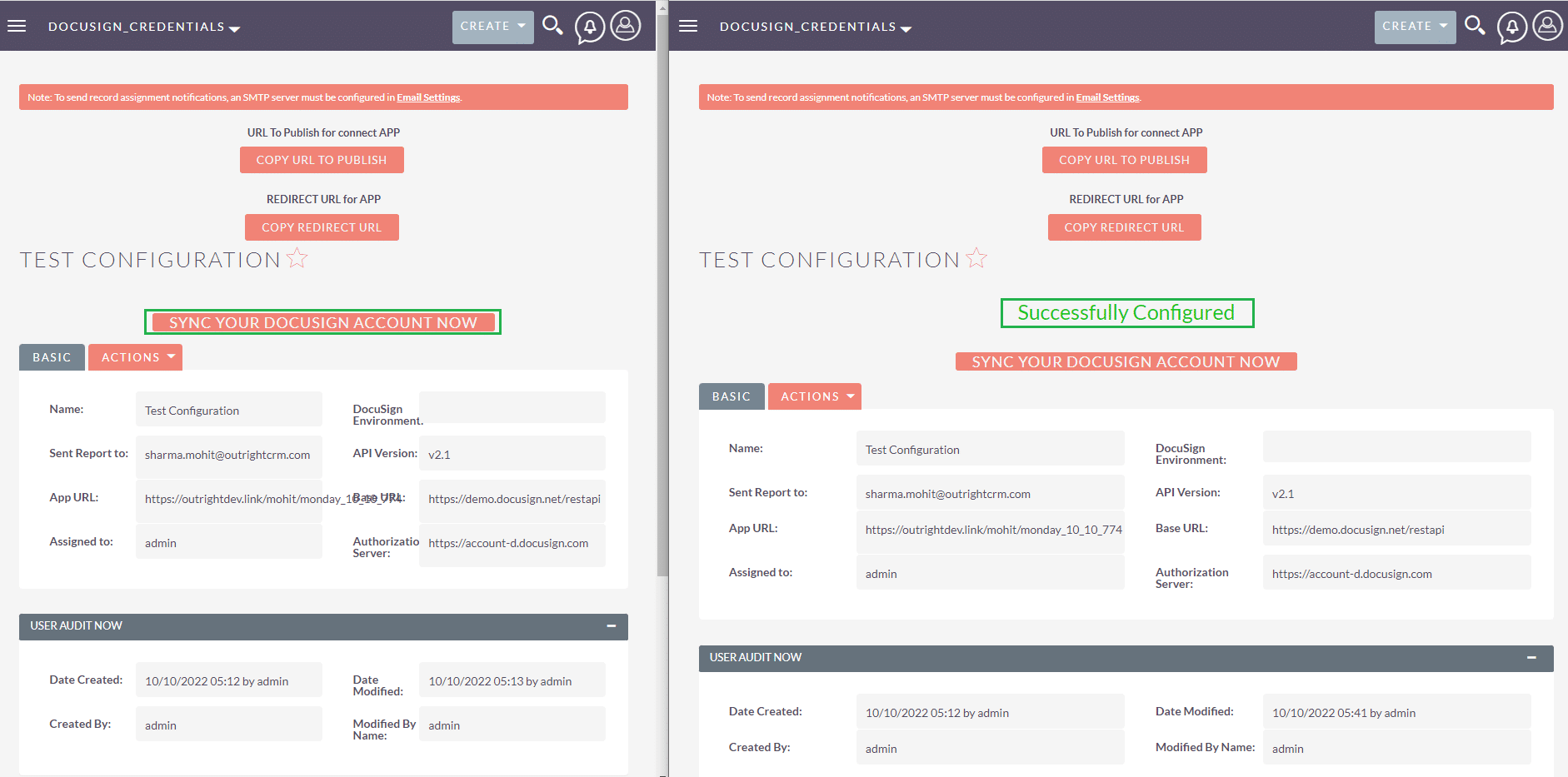
We use APIs and webhooks for instantly transferring data between both applications. Therefore, all information sync instantly.
Can I create multiple DocuSign templates in SuiteCRM?
Yes, you can create multiple templates. Also, you can send it to various persons from different like leads, accounts, contacts, etc at one-time.
Can I Check the status of the sent document?
Yes, it is easy to check out the status of the document that you have sent to your client.
What settings do I need to configure in SuiteCRM for sending templates via email?
In order to send templates from SuiteCRM, you need to configure an outbound email account first otherwise, you will get an error message addressing the same issue.